
What is social posting?
Until now, soona creators made content and sent it to you to post wherever you'd like. With Social Posting, you can also have creators publish approved content directly to their own social accounts, extending your reach beyond your own following.
You stay in control the whole way through - you approve every caption and every post.
Social posting is a feature available to Standard and Enterprise subscribers.
How it works
1. Turn it on in your brief:
When you set up a project, toggle on "Should creators post on their social accounts?" You can add any social handles you'd like mentioned, required hashtags, and caption guidelines.
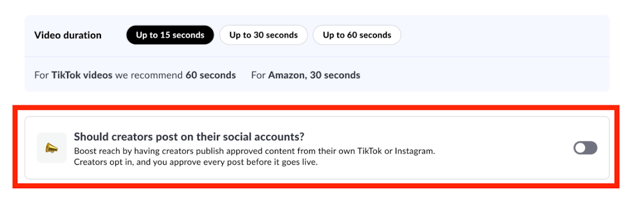
2. Hire creators for social posting:
When reviewing applicants, you'll see each creator's pricing for photos, videos, TikTok posts, and Instagram posts. When you hire, choose how many posts you want from each creator. You don't need to use every creator you hire for social posting.
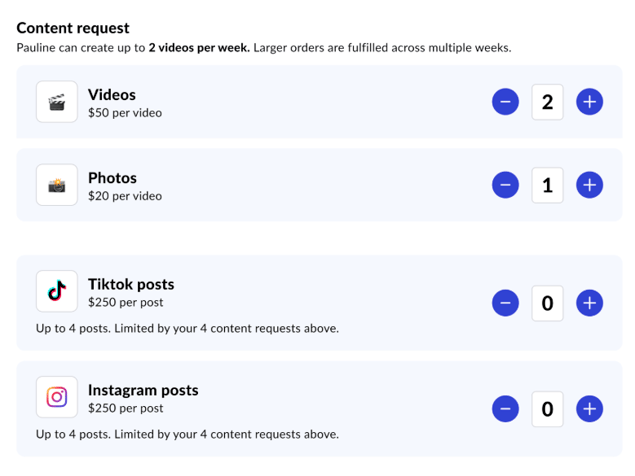
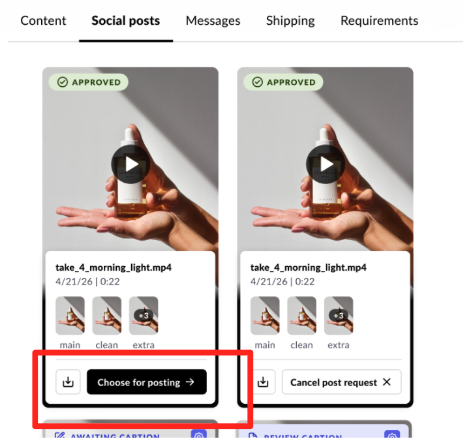
3. Pick your content
Once a creator delivers content, choose which approved clips you'd like them to post, and on which platform.
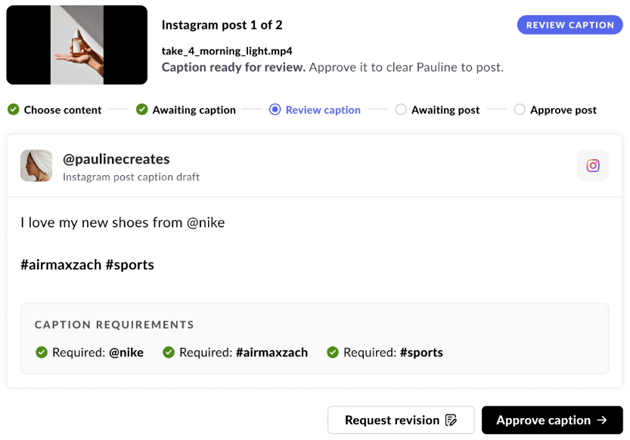
4. Review the caption
The creator sends you a caption before anything goes live. Approve it, or request a revision.
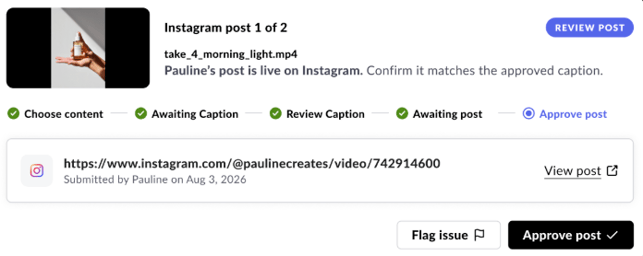
5. Approve the live post
The creator posts to their own account and shares the link with you. Review it and either approve it (which completes the job) or flag an issue for them to fix.
Posts must stay live for a minimum of 30 days.
Already have approved content? You can still request Social Posts.
You don't need to start a new project to use Social Posting. From any project's Social posts tab, you can request posts from a creator using content that's already been approved. Just select the creator, choose how many TikTok/Instagram posts you'd like, and send the request. You only pay for posts that go live.
Pricing
Creators set their own posting rate. Rates aren't negotiable — you'll see the creator's price up front before you hire.
A few things to note:
- Only creators who've opted into Social Posting and connected their TikTok/Instagram will show up as eligible. You'll see this reflected when creators apply for your projects and when you hire them.
- All Social posts are required to include a #sponsored tag for FTC compliance.
- Requesting 4 posts means 4 separate posts, not a carousel.
Questions? Reach out to us at hey@soona.co and we're happy to help.