
About soona
soona is a fast, affordable content platform for brands, with professional photography and videography studios in Denver, Austin, and Minneapolis. In June 2023, soona acquired Trend, a creator network specializing in UGC content. We’re now bringing these two platforms together, which means creators can access brand partnerships and campaigns directly through soona.co.
This guide walks you through how to set up your profile, find and apply for campaigns, deliver content, and get paid.
1. Getting Started: Applying for the talent network
To participate in UGC campaigns on soona, you’ll need to apply to join the talent network. Here’s how:
Create your account
- Click this link and select “Apply to join the talent network.”
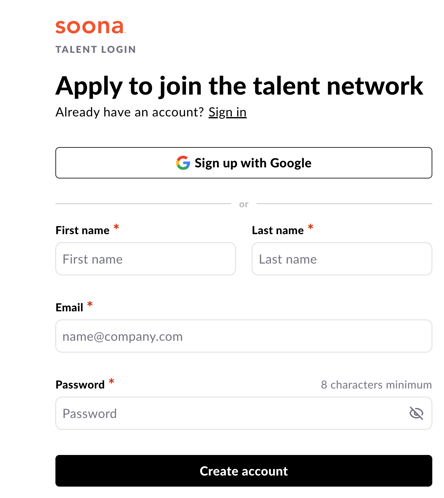
- Sign up with Google or enter your name, email address, and a password (minimum 8 characters).
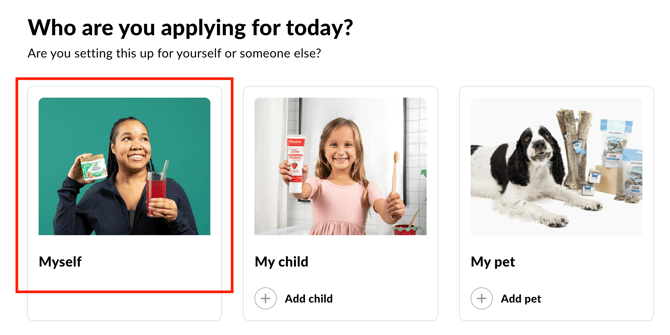
- When asked “Who are you applying for?” select Myself. If you have a pet, you do not need a separate pet profile.
Choose your job types
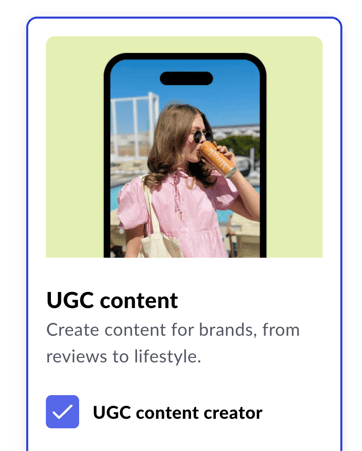
- UGC content creator – Create content for brands, from product reviews to lifestyle videos. Can be in located in any city in the United States.
Fill in your profile details
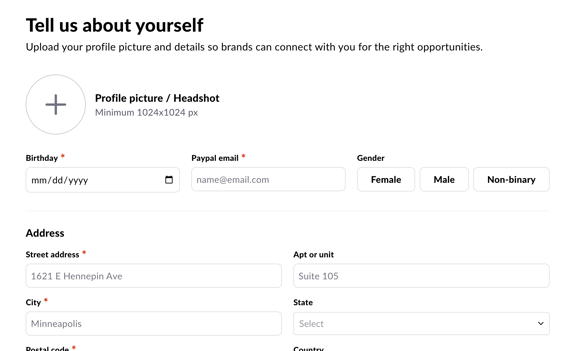
This information helps brands find and connect with the right creators. You’ll need to provide:
- A profile photo or headshot (minimum 1024x1024 px)
- Your birthday, gender, and address
- Your PayPal email address (this is how you’ll get paid)
- Optional: links to your TikTok, Instagram, YouTube, and website
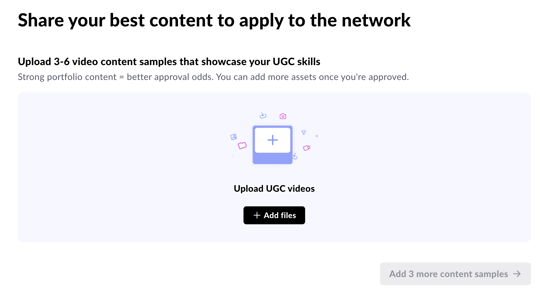
Upload content samples
Upload 3 to 6 video samples that showcase your UGC skills. This is what brands see when deciding whether to hire you, so put your best work forward. Higher quality samples mean a greater chance of being selected for campaigns.
2. Completing Your Profile After Approval
Once your application is approved, you’ll be prompted to complete your profile with additional details. This helps soona match you to the right opportunities.
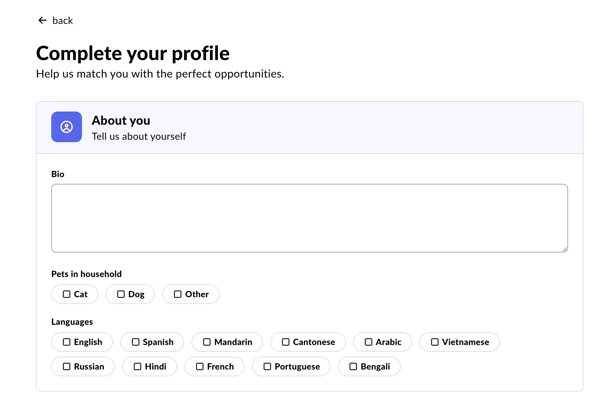
About you
Write a short bio that tells brands who you are. Be specific and authentic. Think of it as your pitch.
Modeling options
Select the options that apply to you:
- Household structure: Parent, Couple, Single, or Caregiver
- UGC specialties: Art & design, Beauty & fashion, Food & cooking, Health & fitness, Learning & education, Music & dance, Parenting & family, Pets, Photography & video, Sports & outdoors, Sustainability & eco living, Tech & gaming, Travel & adventure, Wellness
Your shooting environment
Add details about where you shoot – your spaces, environments, and any unique locations (a beach, a high-rise, a home studio, etc.). You can also upload photos or videos of your shooting spaces. This helps brands understand the visual context you can offer.
3. Finding and Applying for Campaigns
Browse available jobs
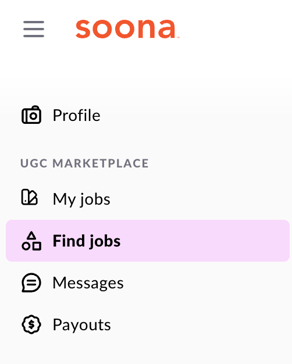
Click “Find jobs” in the left-hand navigation to see active campaigns
Review a campaign before applying
Campaigns on soona will look different from what you may have seen on other platforms. Before applying, take the time to review:
- The product description and background
- The ideal creator profile (gender, age range, product category expertise) – this is the brand’s dream creator, but don’t be discouraged if you aren’t an exact match
- Key talking points
- Do’s and Don’ts
- Platform type and video length requirements
Apply for a campaign
Click “Apply to this job” on the campaign. When applying, you’ll select how many videos you can deliver per week for this campaign.
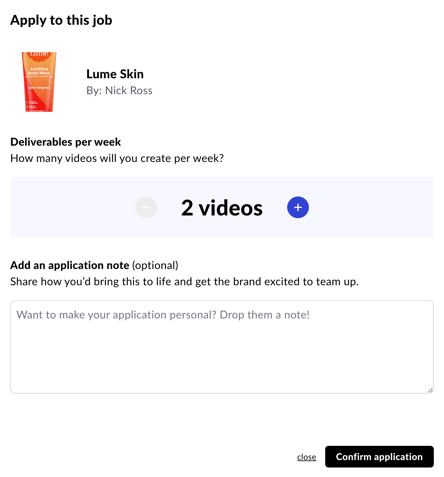
Based on the total number of videos the brand wants and your weekly delivery rate, the platform will calculate the estimated campaign timeline and show you a batch-by-batch delivery schedule.
You can add a note to your application to help the brand get excited about working with you.
4. Communicating with Brands
Brands can message you before and after you’re hired. All your brand conversations are in one place under the Messages tab in your navigation.
Stay responsive. Brands may reach out with questions before approving your application or with additional direction once a project is underway.
5. Once the Brand Ships Your Product
Once the product gets delivered to you, the due date for the first batch of content will appear in your dashboard under My jobs.
Need more time? Propose a new due date
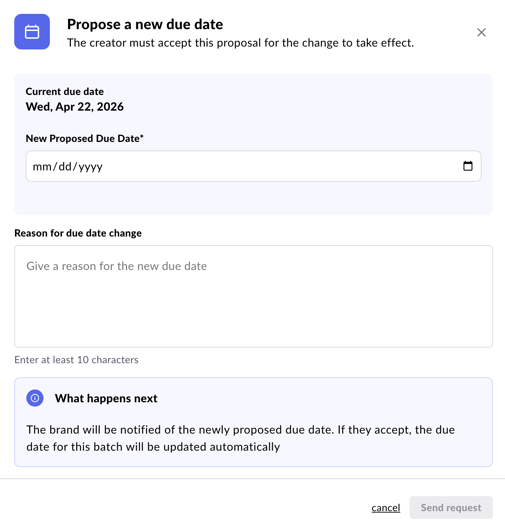
If you need an extension, you can request one directly in the platform. Click “Adjust due date” on your active campaign and submit a proposed new date along with a reason. The brand will be notified and can either approve or decline the request. If approved, the due date updates automatically.
6. Uploading Your Content
When you’re ready to submit:
- Open the campaign from your dashboard.
- Click the Content tab.
- Click “Upload Content” and drag and drop your video files.
You’ll see a progress tracker showing how many videos have been approved out of the batch total. The due date and a countdown timer are visible on the right side of the screen.
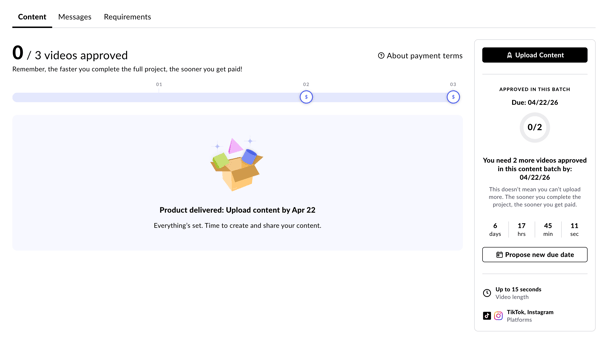
Tip: The faster you complete the full project, the sooner you get paid. You can also upload additional content beyond what was originally requested and message the brand to see if they’d like to purchase more.
7. Revisions
Brands can submit up to 2 revision requests if they’d like you to rework something in a video. If a revision is requested, you’ll receive an email notification. The revision note will appear at the top of the Content tab with specific feedback.
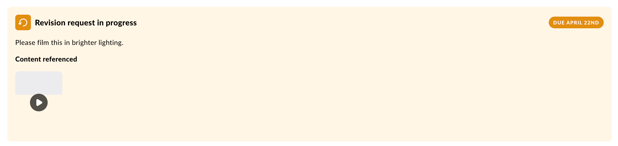
Address the feedback, re-upload the video, and the brand will review again.
8. Getting Paid
soona follows EOFM (End of Following Month) payment guidelines. This means that if you complete a job in one month, you will be paid in one lump sum at the end of the following month.
Example: Work completed in April will be paid at the end of May.
Payments are sent to the PayPal email address you provided during sign-up. You can view your payment history and upcoming payouts in the platform.
Make sure your PayPal email is correct before completing any jobs. You can update it in your account settings.
9. How to Reach Us
You can reach us at collective@soona.co or submit a contact form here.